VerdictAI

Reviewer consensus · 2026

Best KVM Switches of 2026What 52 reviewers actually think, trust-weighted

KVM switches let you drive multiple computers from one keyboard, mouse, and set of monitors, but the category is crowded with near-identical listings and inconsistent real-world reliability. This roundup synthesizes what verified-purchase reviewers, mainstream tech reviewers, and specialist communities such as r/buildapc, r/OLED_Gaming, and r/UsbCHardware have reported, weighted by source trust rather than marketing claims. We summarize the consensus across the reviewers we read; we did not test these units ourselves.

Sources behind this verdict

52 reviewers, weighted by source trust

52reviewers read

Weighted by source trust

We don’t review products. We read what other reviewers wrote, score each source for trustworthiness, and synthesize the consensus.

How sources are scored →

At a glance

Compare

Pick any two for a head-to-head

Scores, pros, cons, and our verdict — side by side.

vs

Highest-rated by the consensus

#1 of 5
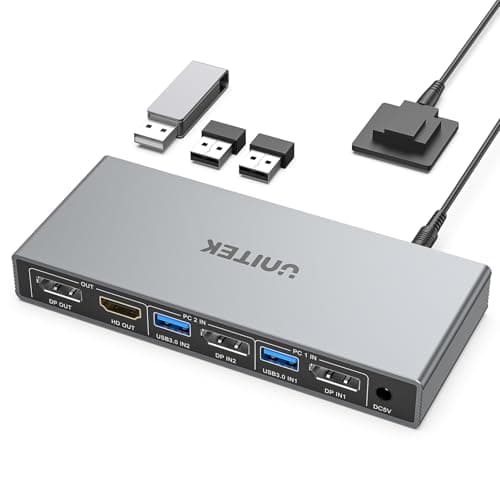
Top pick · #1Displayport KVM Switch 2 Computers 2 Monitors, 8K@60Hz/4K@240Hz Dual Monitor KVM Switch for 2 PCs Share 2…
Best overall

Displayport KVM Switch 2 Computers 2 Monitors, 8K@60Hz/4K@240Hz Dual Monitor KVM Switch for 2 PCs Share 2…

AOOCOO

★★★★★4.5(146)84Great

Across the reviewers we read, this DisplayPort switch lands as the most well-rounded conventional KVM in the pool. Its 4.5-star average over roughly 146 verified-purchase reviews is the strongest among the standard two-computer, two-monitor units here, and specialist sentiment supports it: an r/OLED_Gaming thread on running 240Hz HDR with G-Sync describes a DisplayPort KVM in this class as working "flawlessly" and checking "all the boxes," with another r/OLED_Gaming user reporting a flawless dual-4K setup including a 240Hz OLED.

The rest of the rankings

#2,5

Frequently asked

5 questions
Can a KVM switch really handle 4K at 120Hz or 240Hz?
According to the reviewers and specialist threads we read, high refresh rates are achievable but fragile: r/buildapc users repeatedly note that 4K 120Hz on two PCs and two monitors almost always requires DisplayPort rather than HDMI, and that the bandwidth depends on every cable and downstream hub also being rated for it. DisplayPort-based switches like the dual-monitor pick in this list draw the most positive high-refresh feedback, while several HDMI units are flagged for dropping to lower resolutions.
Why do some KVM switches cause black screens or USB dropouts when switching?
This is the single most common complaint across the communities we read. Verified-purchase notes mention a 3-7 second black screen on switch at 4K60, and r/buildapc and r/UsbCHardware threads cite mouse freezing, intermittent DisplayPort disconnects, and USB ports failing after months of use. Reviewers consistently point to EDID emulation as the feature that reduces these problems, since it keeps each computer from thinking the monitor was unplugged.
Do I need DisplayPort or HDMI for my KVM?
Reviewers say it depends on your displays. Specialist subreddit consensus is that DisplayPort switches currently offer the best path to 4K high-refresh, but r/buildapc users with HDMI-only displays (such as TVs) note they are forced toward HDMI units that may cap refresh rates. Match the switch's port type to your monitor's native input wherever possible.
What's the difference between a local KVM and a remote KVM like the GL.iNet Comet Pro?
A standard KVM physically routes video and USB between computers on your desk. A remote KVM such as the Comet Pro streams a target machine's HDMI output over the network at up to 4K@30FPS, letting you control a PC even from another location. The r/GlInet community frames it as a tool for remote administration and disaster recovery rather than a high-refresh desktop switch.
Are cheap sub-$35 KVM switches worth it?
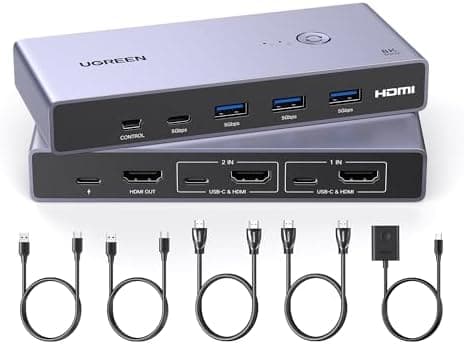
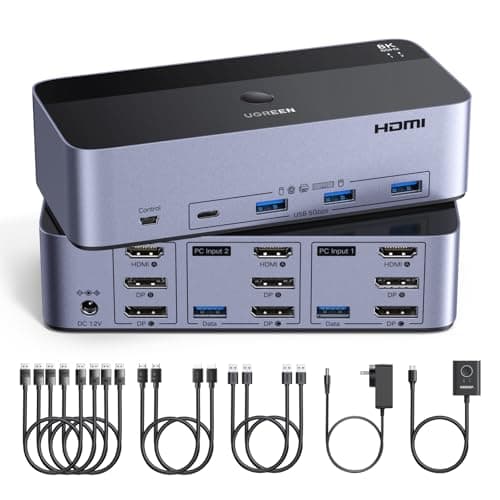
Mixed, per the reviewers we read. Budget UGREEN and MLEEDA units have large verified-purchase review counts and supporters in r/desksetup who call them reliable for the price, but they also carry lower average ratings and recurring reports of switching lag, USB 2.0-speed hubs, and occasional dropouts. They work best for simple single-monitor, two-computer office setups rather than gaming.