VerdictAI

Reviewer consensus · 2026

Best Ultrawide Monitors of 2026What 50 reviewers actually think, trust-weighted

Ultrawide monitors split into distinct buckets: 34-inch 21:9 panels that have become the go-to productivity-plus-gaming sweet spot, premium 38-39" OLEDs pushing 5K2K resolutions, and the 49-inch 32:9 super-ultrawides that replace dual-monitor setups entirely. The picks below synthesize what mainstream tech press, specialist subreddits like r/ultrawidemasterrace and r/OLED_Gaming, and verified-purchase reviewers are saying about each tier, with flagged signals discounted and burn-in, curvature, and text-clarity tradeoffs surfaced honestly.

Sources behind this verdict

50 reviewers, weighted by source trust

50reviewers read

Weighted by source trust

We don’t review products. We read what other reviewers wrote, score each source for trustworthiness, and synthesize the consensus.

How sources are scored →

At a glance

Highest-rated by the consensus

#1 of 5
Top pick · #1LG 39GX950B-B 39-inch Ultragear evo 5K2K WUHD (5120 x 2160) OLED Curved Gaming Monitor, Dual-Mode,165Hz…
Best 38" ultrawide

LG 39GX950B-B 39-inch Ultragear evo 5K2K WUHD (5120 x 2160) OLED Curved Gaming Monitor, Dual-Mode,165Hz…

★★★★★3.8(11)89Great

Across the reviewers we read, LG's 39GX950B is the new high-water mark for premium ultrawides. Specialist threads on r/OLED_Gaming and r/ultrawidemasterrace point to Monitors Unboxed and TFTCentral coverage praising the 4th-gen tandem W-OLED panel for delivering noticeably higher full-field brightness than previous WOLED ultrawides while keeping the 143 PPI pixel density that finally puts text clarity in the same conversation as 4K monitors.

The rest of the rankings

#2,5

Frequently asked

5 questions
Is a 34-inch or 49-inch ultrawide better?
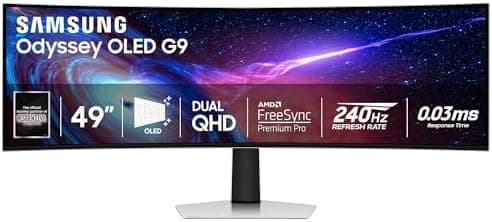
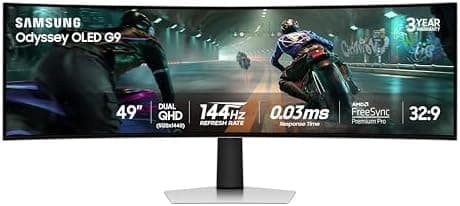
34-inch 21:9 (3440x1440) is the mainstream sweet spot reviewers most often recommend for a single-monitor setup: it fits on a normal desk, most games support 21:9 natively, and a mid-range GPU can drive it. 49-inch 32:9 (5120x1440) is closer to two 27-inch 1440p monitors stitched together, which specialist communities praise for productivity and sim/racing immersion but warn requires a strong GPU and that many games don't fully support 32:9 without black bars.
Are OLED ultrawides worth the price premium over IPS or VA?
OLED panels deliver near-instant response times, true blacks, and HDR contrast that IPS and VA can't match, and that's the consistent consensus across expert reviewers and OLED-focused subreddits. The tradeoffs are price (often 2-3x a comparable IPS), burn-in risk on static UI elements, and text fringing from non-standard subpixel layouts that some users find distracting for office work.
What refresh rate do I actually need on an ultrawide?
100-120Hz is plenty for productivity and casual gaming and is where most budget and mid-range ultrawides land. 144Hz is the practical floor for competitive gaming on a 1440p ultrawide, and 240Hz OLEDs are where reviewers say motion clarity stops being a bottleneck — but you need a GPU that can actually push those frames at 3440x1440 or 5120x1440.
Do ultrawide monitors work well for console gaming?
Generally no. As community threads repeatedly point out, PS5 and Xbox Series X/S do not output 21:9 or 32:9, so you'll get black bars on the sides of most console games. Ultrawides are best treated as a PC-first purchase.
Is a curved ultrawide better than a flat one?
At 34 inches and wider, most reviewers prefer curved because the panel edges stay closer to your eye-line at normal viewing distance. The caveat raised in specialist subreddits is curve radius — an aggressive 800R curve can feel immersive for gaming but distort straight lines for CAD or photo work, while a gentler 1500R-1800R curve is the more common all-rounder.