VerdictAI

Reviewer consensus · 2026

Best Monitor Risers / Stands of 2026What 47 reviewers actually think, trust-weighted

Monitor risers and stands span a wide range, from simple under-screen shelves with storage to heavy-duty arms built for 57-inch ultrawides. To rank this category we pulled together verified-purchase reviews from major retailers, hands-on YouTube reviews, and specialist subreddit threads (notably r/buildapc, r/ultrawidemasterrace, r/StandingDesks and r/desksetup), weighting high-trust community consensus and verified-purchase volume more heavily than promotional unboxing videos. The picks below reflect that synthesis, not a first-person test.

Sources behind this verdict

47 reviewers, weighted by source trust

47reviewers read

Weighted by source trust

We don’t review products. We read what other reviewers wrote, score each source for trustworthiness, and synthesize the consensus.

How sources are scored →

At a glance

Highest-rated by the consensus

#1 of 5
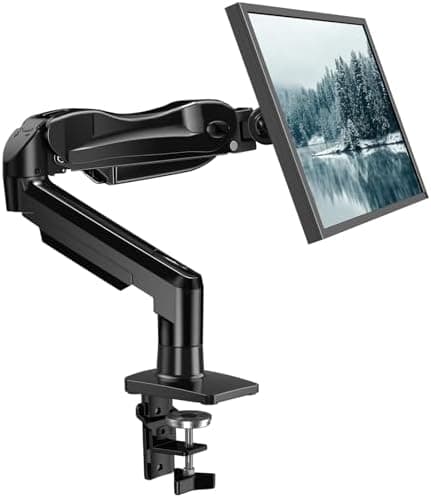
Top pick · #1VIVO Dual Monitor Desk Mount, Holds 2 Computer Screens up to 30 inches and 22lbs Each, Heavy Duty Fully…
Best overall

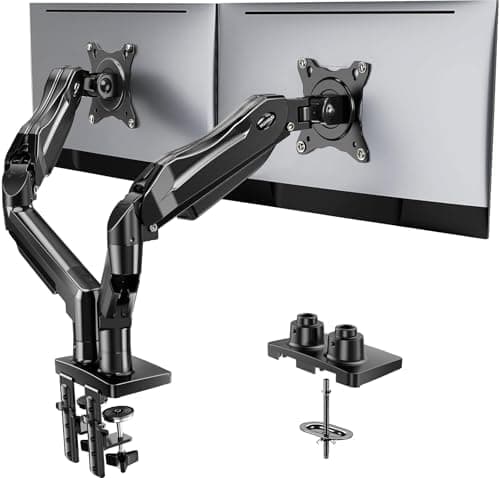
VIVO Dual Monitor Desk Mount, Holds 2 Computer Screens up to 30 inches and 22lbs Each, Heavy Duty Fully…

★★★★★4.6(60,596)86Great

Across the reviewers we read, the VIVO STAND-V002 has become the default recommendation when people in r/buildapc ask for a 'cost-effective' dual monitor arm. A high-trust r/buildapc thread describes it as noticeably more heavy-duty than its product photos suggest, with two 24-inch monitors mounted without issue, a sentiment echoed across Walmart verified-purchase reviews and multiple YouTube installation walkthroughs.

The rest of the rankings

#2,5

Frequently asked

5 questions
Do I need a monitor riser or a monitor arm?
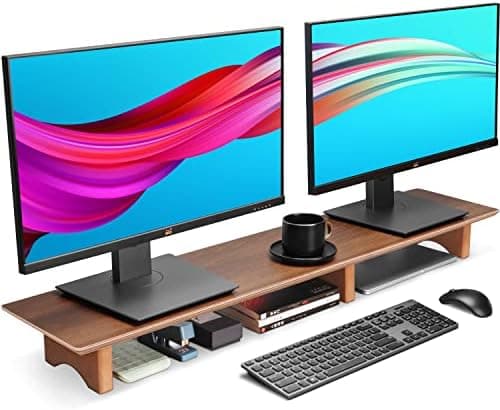
A riser is a fixed shelf that lifts your screen to eye level and usually adds storage underneath; an arm clamps to the desk and lets you move, tilt and rotate the screen freely. Across the reviewer consensus, risers are recommended for users who want ergonomics on a tight budget, and arms are recommended for anyone with curved or ultrawide screens, dual setups, or a need to clear desk space.
What VESA pattern and weight rating should I look for?
Most 24-32 inch monitors use VESA 75x75mm or 100x100mm, which nearly every arm in this roundup supports. Reviewers repeatedly flag weight rating as the spec people underestimate: a heavy curved 34-inch or ultrawide can exceed a budget arm's spring tension, leading to the screen drooping. Confirm the loaded weight (monitor plus VESA bracket) against the arm's rated range before buying.
Are budget monitor arms sturdy enough for a 34-inch ultrawide?
Mixed signals here. Specialist ultrawide community threads we read are split: some owners report multi-year success with budget arms on 34-inch ultrawides, while others, especially with curved 49-inch or 57-inch panels, recommend stepping up to a heavy-duty arm specifically rated for that size. If your monitor is over 34 inches or particularly heavy, the consensus leans toward purpose-built ultrawide arms.
Will a riser fit a full-size mechanical keyboard underneath?
On the wider risers in this roundup, yes, retailer reviews consistently confirm clearance for full-size keyboards underneath. Narrower or low-profile risers can be tight; check the listed leg-to-leg clearance against your keyboard's depth and height before ordering.
Clamp mount or grommet mount, which is better?
Reviewer consensus is that C-clamp is easier to install and move, while grommet mounts (through a hole in the desk) sit flush and look cleaner but are permanent. Most arms in this category ship with both options in the box.