VerdictAI

Reviewer consensus · 2026

Best NAS / Network Attached Storage of 2026What 72 reviewers actually think, trust-weighted

Network attached storage shopping in this pool comes down to two camps: Synology's polished DSM software ecosystem and UGREEN's hardware-heavy NASync line that undercuts it on raw specs. Across the reviewers we read—mostly specialist NAS YouTube channels, mainstream tech press, and verified-purchase reviewers on Amazon, Newegg and Best Buy—the recurring theme is that UGREEN wins on processor, networking and price while Synology still leads on software maturity and app polish. Note that most expert coverage here comes from mid-tier and untagged enthusiast outlets rather than independent test labs, so we weight verified-purchase volume and cross-source community consensus heavily and flag where the evidence is thin.

Sources behind this verdict

72 reviewers, weighted by source trust

At a glance

Compare

Pick any two for a head-to-head

Scores, pros, cons, and our verdict — side by side.

vs

Highest-rated by the consensus

#1 of 7
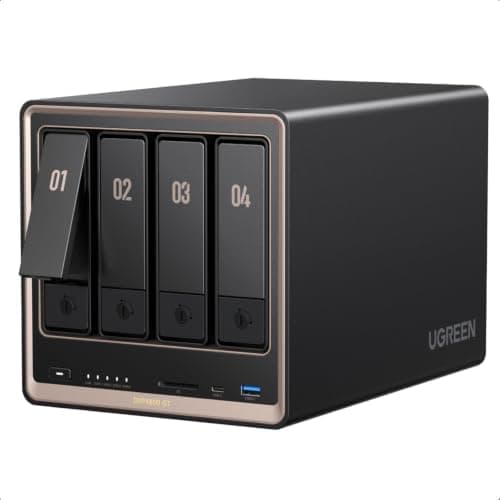
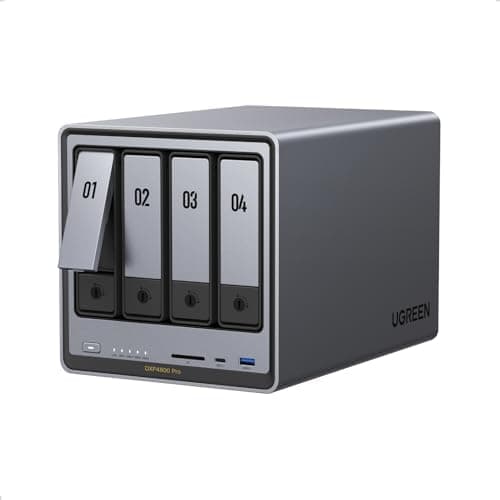
Top pick · #1UGREEN NAS DXP4800 Pro 4-Bay Desktop Network Attached Storage, Intel Core i3-1315U 6-Core CPU, 8GB DDR5 RAM…
Best overall

UGREEN NAS DXP4800 Pro 4-Bay Desktop Network Attached Storage, Intel Core i3-1315U 6-Core CPU, 8GB DDR5 RAM…

★★★★★4.5(1,037)86Great

Across the reviewers we read, the UGREEN DXP4800 Pro is the most consistently recommended all-rounder in this pool. cultofmac.com's hands-on review calls it a strong balance of performance, ease of use and value, and r/UgreenNASync and r/homelab threads repeatedly highlight its Intel Core i3-1315U, 8GB DDR5, built-in OS SSD and the rare-at-this-price combination of 10GbE and 2.5GbE networking.

The rest of the rankings

#2,7

Frequently asked

5 questions
Should I buy a Synology or a UGREEN NAS?
The consensus across the reviewers we read is that it depends on priorities. Specialist communities consistently say Synology's DSM operating system and first-party apps (Photos, backup tools, mobile clients) are more polished and 'just work,' while UGREEN's NASync hardware offers far more CPU, RAM and 10GbE networking for the money. Multiple r/UgreenNASync threads summarize it as 'fantastic hardware, software needs to catch up.' Pick Synology if software ecosystem and reliability matter most; pick UGREEN if you want maximum performance per dollar and can live with younger software.
How many drive bays do I actually need?
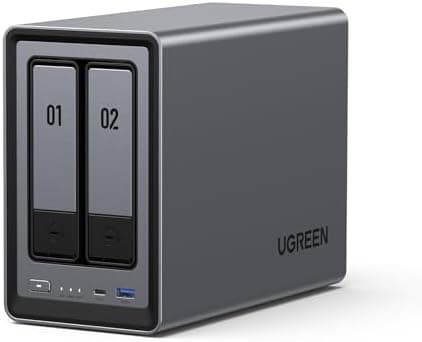
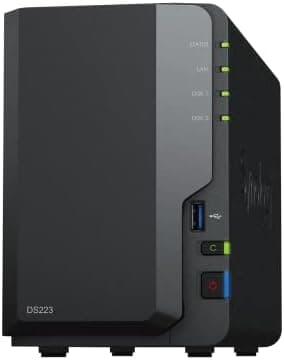
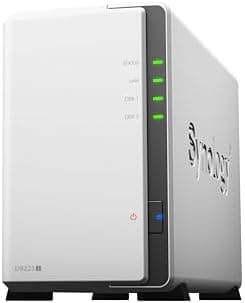
Reviewers and community threads suggest a 2-bay unit is plenty for photo/file backup and light streaming with one drive of redundancy, while a 4-bay gives room for RAID 5/6 and a media library that grows. Verified-purchase reviewers of 2-bay units like the DS223 and DXP2800 report they comfortably handle backups and basic Plex/Jellyfin, whereas creators moving 4K footage gravitate to 4-bay 10GbE models.
Do Synology Plus-series NAS units require Synology-branded drives?
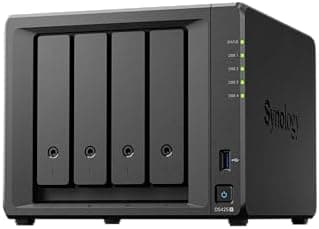
This is a real, repeatedly flagged issue. Community threads and the Plex forums note that Synology's newer Plus-series systems (including the DS425+ and DS1825+ generation) have tightened compatibility toward Synology-certified or first-party drives. Buyers cite this as a meaningful downside versus UGREEN, which reviewers say works with standard Seagate/WD drives.
Which NAS is best for Plex or a media server?
For hardware transcoding, reviewers point to units with an Intel CPU and integrated GPU/QuickSync. Community discussion specifically calls out the Synology DS425+ for its Intel GPU transcoding and the UGREEN DXP4800 Plus/Pro for their 12th-gen Intel chips. ARM-based budget units (DS223j, DH2300) can stream but reviewers note transcoding headroom is limited.
What does 'diskless' mean and do I need to buy drives separately?
Every unit in this roundup ships diskless, meaning no hard drives are included—you buy compatible 3.5"/2.5" or M.2 drives separately. Factor that into the total cost; verified-purchase reviewers frequently remind first-time buyers that the listed price is for the enclosure only.