VerdictAI

Reviewer consensus · 2026

Best Wireless Routers (Single) of 2026What 87 reviewers actually think, trust-weighted

Wireless routers span a huge range, from sub-$50 Wi-Fi 6 workhorses to $600 Wi-Fi 7 gaming flagships, and the right pick depends almost entirely on your home size, internet plan, and tolerance for app-only management. This roundup synthesizes what independent testing labs, mainstream tech press, specialist subreddits, and verified-purchase reviewers have already published, weighted by how trustworthy each source is. Where high-trust testers and community threads disagree, we surface the conflict rather than smoothing it over.

Sources behind this verdict

87 reviewers, weighted by source trust

At a glance

Compare

Pick any two for a head-to-head

Scores, pros, cons, and our verdict — side by side.

vs

Highest-rated by the consensus

#1 of 8
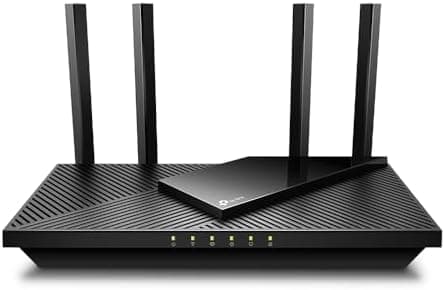
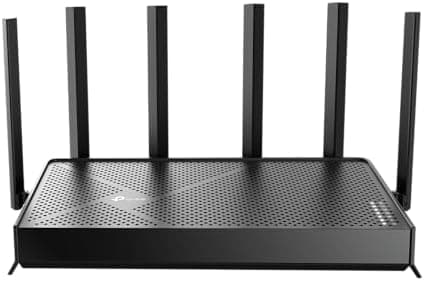
Top pick · #1TP-Link BE6500 Dual-Band WiFi 7 Router (BE400) – Dual 2.5Gbps Ports, USB 3.0, Covers up to 2,400 sq. ft., 90…
Best overall

TP-Link BE6500 Dual-Band WiFi 7 Router (BE400) – Dual 2.5Gbps Ports, USB 3.0, Covers up to 2,400 sq. ft., 90…

TP-Link

★★★★★4.4(1,194)86Great

Across the reviewers we read, the TP-Link Archer BE400 (sold as BE6500) is the most well-rounded single router in this pool because it pairs genuine Wi-Fi 7 hardware with a price that doesn't require a flagship budget. RTINGS, a high-trust testing lab, calls it a very good router for multi-level homes that delivers great speeds at short-to-medium distances with good overall range.

The rest of the rankings

#2,8

Frequently asked

4 questions
Do I need a Wi-Fi 7 router in 2025?
For most homes, no. Across the reviewers we read, the consensus is that Wi-Fi 7's headline speeds only matter if you have multi-gig internet (2.5 Gbps or faster) and client devices that support the new standard. Community threads repeatedly note that a solid Wi-Fi 6 or 6E router saturates typical gigabit plans just fine. Wi-Fi 7 mainly buys future-proofing and faster local transfers between devices that support it.
Is a single router enough or do I need mesh?
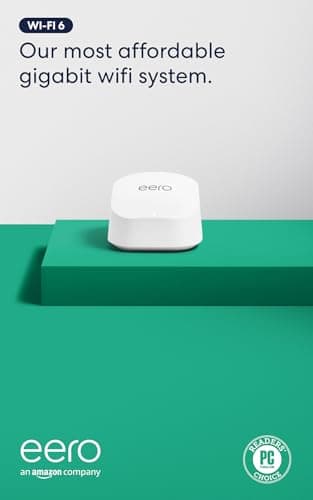
It depends on square footage and layout. Verified-purchase reviewers and specialist communities generally find a single high-end router covers a small-to-medium home, while larger or multi-story homes with thick walls benefit from mesh nodes. Several picks here (the eero units and TP-Link Deco line) are mesh-capable, so you can start with one and expand later.
Why do my real-world speeds fall short of the router's rating?
This comes up constantly in community threads. The advertised numbers (AX1800, AXE5400, BE18000) are theoretical combined link rates across all bands, not the throughput any single device will see. Reviewers note real single-client speeds are typically a fraction of the label, limited by your internet plan, client hardware, distance, and interference.
Are app-only routers like eero a dealbreaker for advanced users?
For tinkerers, sometimes. Specialist subreddits flag that eero and some TP-Link Deco systems lock advanced settings behind a simplified app and, in eero's case, some features behind a subscription. Reviewers who want deep VPN, firewall, or QoS control tend to prefer ASUS or TP-Link's Archer line with fuller web interfaces.