VerdictAI

Reviewer consensus · 2026

Best Graphics / Drawing Tablets of 2026What 50 reviewers actually think, trust-weighted

Choosing a graphics tablet has become a real cross-shopping exercise: Wacom still dominates the professional conversation, but Huion and XPPen are now landing on the same shortlists as Cintiqs and Intuos Pros, even in specialist communities. This roundup synthesizes what reviewers across mainstream tech press, specialist art blogs, retailer verified-purchase pages, and subreddits like r/wacom, r/huion, r/XPpen and r/drawingtablet have written about the current lineup. We weight independent expert reviews and high-traffic specialist threads more heavily than Amazon star averages, which are useful but gameable.

Sources behind this verdict

50 reviewers, weighted by source trust

50reviewers read

Weighted by source trust

We don’t review products. We read what other reviewers wrote, score each source for trustworthiness, and synthesize the consensus.

How sources are scored →

At a glance

Highest-rated by the consensus

#1 of 5
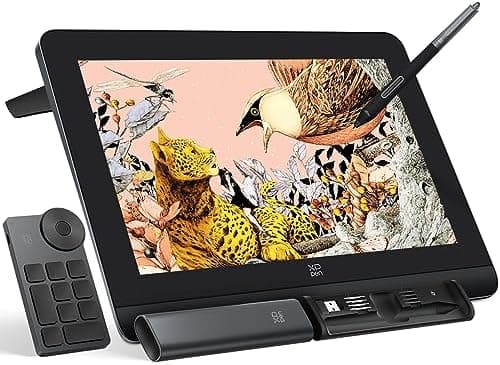
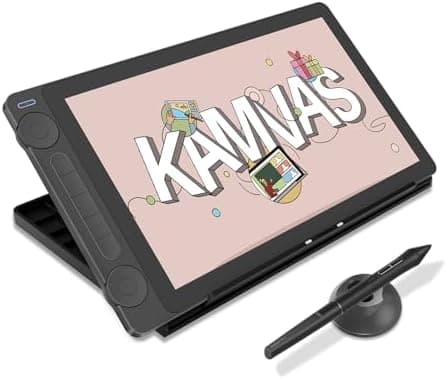
Top pick · #1HUION Kamvas 13 (Gen 3) Drawing Tablet with Screen, 13.3-inch Full-Laminated Art Tablet with Anti-Sparkle…
Best overall

HUION Kamvas 13 (Gen 3) Drawing Tablet with Screen, 13.3-inch Full-Laminated Art Tablet with Anti-Sparkle…

HUION

★★★★★4.5(1,589)89Great

Across the reviewers we read, the Huion Kamvas 13 Gen 3 is currently the rare budget display tablet that specialist communities recommend without the usual caveats. A commenter on r/DigitalPainting calls it their 'number one recommendation at 13 inches unless someone wants to pay $750 for a Wacom Movink,' and r/drawingtablet describes the PenTech 4.0 stylus as 'difficult to beat in terms of value for money.' photofocus.com praises the form factor and bundled stand, and independent YouTube reviewers consistently land on some version of 'surprisingly good for the price.' The technical story reviewers tell is consistent: full lamination, 99% sRGB coverage, an anti-glare matte surface that r/huion threads single out as one of the better matte finishes they have tested, and a pen that finally feels close to Wacom rather than the wobbly experience earlier Kamvas models were criticized for.

The rest of the rankings

#2,5

Frequently asked

5 questions
Do I need a display tablet, or is a pen-only tablet enough?
Pen-only tablets (like the Wacom Intuos line) are cheaper, more durable, and preferred by many illustrators and photo retouchers once they get past the learning curve of looking at the screen while drawing on a separate surface. Display tablets (Cintiq, Kamvas, XPPen Artist) are more intuitive for beginners and animators who want hand-eye alignment, but cost more and add cables, heat, and calibration to manage. Specialist subreddits consistently note that a quality pen-only tablet can outperform a cheap display tablet for serious work.
Is Huion or XPPen actually as good as Wacom now?
Across the reviewers we read, the gap has narrowed dramatically on hardware (screen quality, pen pressure, build) but Wacom still leads on driver stability and Pro Pen feel. Specialist commenters on r/drawingtablet and r/huion repeatedly flag driver quirks on Huion and XPPen as the trade-off for paying half the price, while praising the actual drawing experience. For pros who bill by the hour, Wacom's reliability is still cited as worth the premium; for hobbyists and students, Huion and XPPen are increasingly the value pick.
How many pressure levels do I really need?
Modern tablets advertise 8,192 or 16,384 levels, but reviewers across the sources we read agree that beyond 8,192 the difference is largely marketing. Tilt support, initial activation force, and pen wobble at slow strokes matter far more in practice than the headline pressure number.
What size tablet should I buy?
Across community threads on r/wacom and r/drawingtablet, the consensus is that medium (roughly a 10-inch active area for pen-only, or 13–16 inches for display) suits most users. Small tablets are fine for note-taking, photo retouching, and tight desks; large tablets favor sweeping arm motion for animation and traditional-style painters but demand desk space.
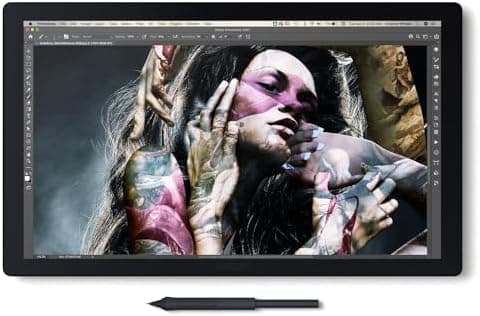
Are 4K display tablets worth it for art?
For illustration alone, reviewers note 1080p or 2.5K is usually sufficient, and 4K screens can introduce scaling headaches in some apps. For photo retouching, color-critical design, or animation pipelines that demand precise pixel work, the extra resolution and color accuracy of pro-tier 4K panels like the Cintiq Pro 22 is more defensible.