

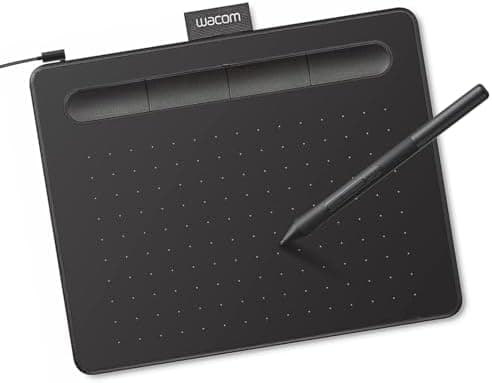
Wacom Intuos Small Graphics Drawing Tablet, Includes Training & Software; 4 Customizable ExpressKeys Compatible with Chromebook…
Wacom · 4 more picks →
Best for
Best for beginners
Amazon rating
Amazon aggregate, one input among many in the Verdict Score
Current price
$39.95
Updated Jun 27, 2026 · 1 min read
Sources behind this verdict
10 reviewers weighted by source trust
The consensus
What reviewers found
Synthesized across the trust-weighted source mix below.
Across the reviewers we read, the Wacom Intuos Small is the default beginner recommendation among screenless tablets. High-trust Best Buy verified-purchase reviews describe it as easy to use and very responsive to the pen tip, with one reviewer noting it handles real drawings well and only a pro would need to spend more. That aligns with an unusually large 4.6 average across roughly 23,800 Amazon reviews, one of the deepest sample sizes in this category.
What reviewers liked
- High-trust Best Buy reviewers call it easy to use and very responsive
- Massive 4.6/5 average across roughly 23,800 reviews signals consistent satisfaction
- Affordable, compact, and works across Chromebook, Mac, Android, and Windows
Where it falls short
- Screenless design requires hand-eye adjustment that frustrates some beginners
- Small active area better for zoomed-in work than large gestures
- Lower pressure sensitivity than higher-end Wacom pens
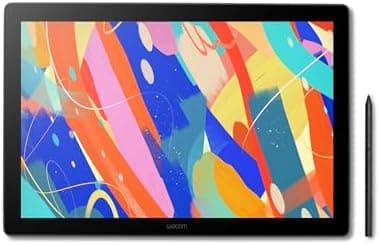
Best Graphics / Drawing Tablets
Wacom Cintiq 16 Drawing Tablet with Screen, 16 inch Display, Pro Pen…
Score 85
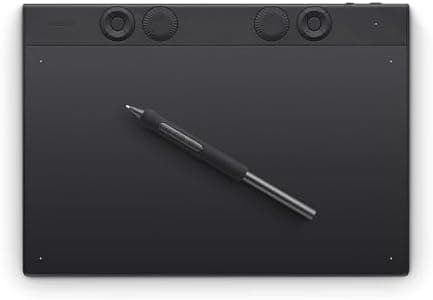
Best Graphics / Drawing Tablets
Wacom Intuos Pro Medium Bluetooth Professional Graphic Drawing Tablet…
Score 83
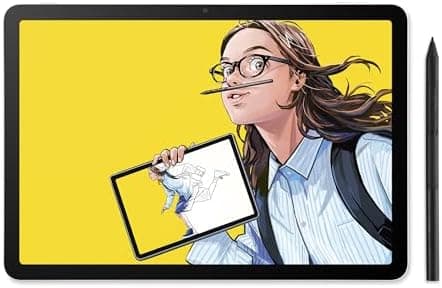
Best Graphics / Drawing Tablets
Wacom MovinkPad 11, Android Mobile Drawing Tablet, 11" with…
Score 81
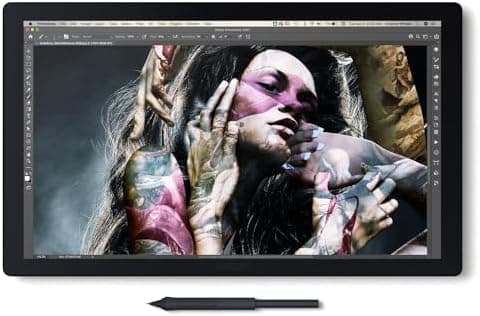
Best Graphics / Drawing Tablets
Wacom Cintiq Pro 17 Drawing Tablet with Screen, 17.3" Ultra HD 4K…
Score 81
Embed our score
Sell this product? Show off the rank.
Free badge for the brand, retailer, or anyone covering this product. Copy the snippet and paste it anywhere HTML works. Updates automatically when the ranking changes.

Includes a credit link back to this page. No tracking; no JavaScript.
Across the reviewers we read, the Wacom Intuos Small is the default beginner recommendation among screenless tablets. High-trust Best Buy verified-purchase reviews describe it as easy to use and very responsive to the pen tip, with one reviewer noting it handles real drawings well and only a pro would need to spend more. That aligns with an unusually large 4.6 average across roughly 23,800 Amazon reviews, one of the deepest sample sizes in this category.
Specialist-community sentiment on r/wacom is similarly warm: longtime owners say the small Bluetooth model is genuinely nice to use and still earns desk space even alongside larger pro tablets when space is tight. Independent art blogs frame it as an excellent entry-level tablet that is simple enough for kids and students while still capable for hobby and light professional work.
The trade-offs are inherent to the form factor. It is screenless, so beginners must adjust to drawing on the pad while looking at the monitor, and the small active area suits zoomed-in work better than broad strokes. Reviewers also note the pressure sensitivity is modest compared to higher-end pens, so it is a starter tool rather than a long-term pro device.
- Wacom Intuos Small Graphics Drawing Tablet
- Enjoy industry leading tablet performance in superior control and precision with Wacom's EMR, battery free technology that feels like pen on paper
- Works With All Software
- Wacom Intuos tablet can be used in any software program to explore new facets of digital creativity; draw, paint, edit photos/videos, create designs, and mark up documents
- What the Professionals Use
- Wacom's industry leading pen technology and pen to paper feeling makes it the preferred drawing tablet of professional graphic designers
- Software and Training Included
- Only Wacom gives you software with every purchase. Register your Intuos tablet and gain access to some of the best creative software and Wacom's online training
- Wacom is the Global Leader in Drawing Tablet and Displays: For over 40 years in pen display and tablet market, you can trust that Wacom to help you bring your vision, ideas and creativity to life
Expensive but for professional use worth it as far as my experience go.
I've used the new 2018 Intous small with Bluetooth since it came out. I have no complaints about it, it's really nice to use. However, I wish I ...
Trust tier reflects our editorial assessment of the source, not the individual quote. Hover for the rationale. See how we tier sources →
“The New Wacom Intuos 【REVIEW】” · YouTube
If the consensus convinced you
Check current price on Amazon
Pricing and availability change frequently. Tap through to confirm before buying.